 GroceryGen
Shop together
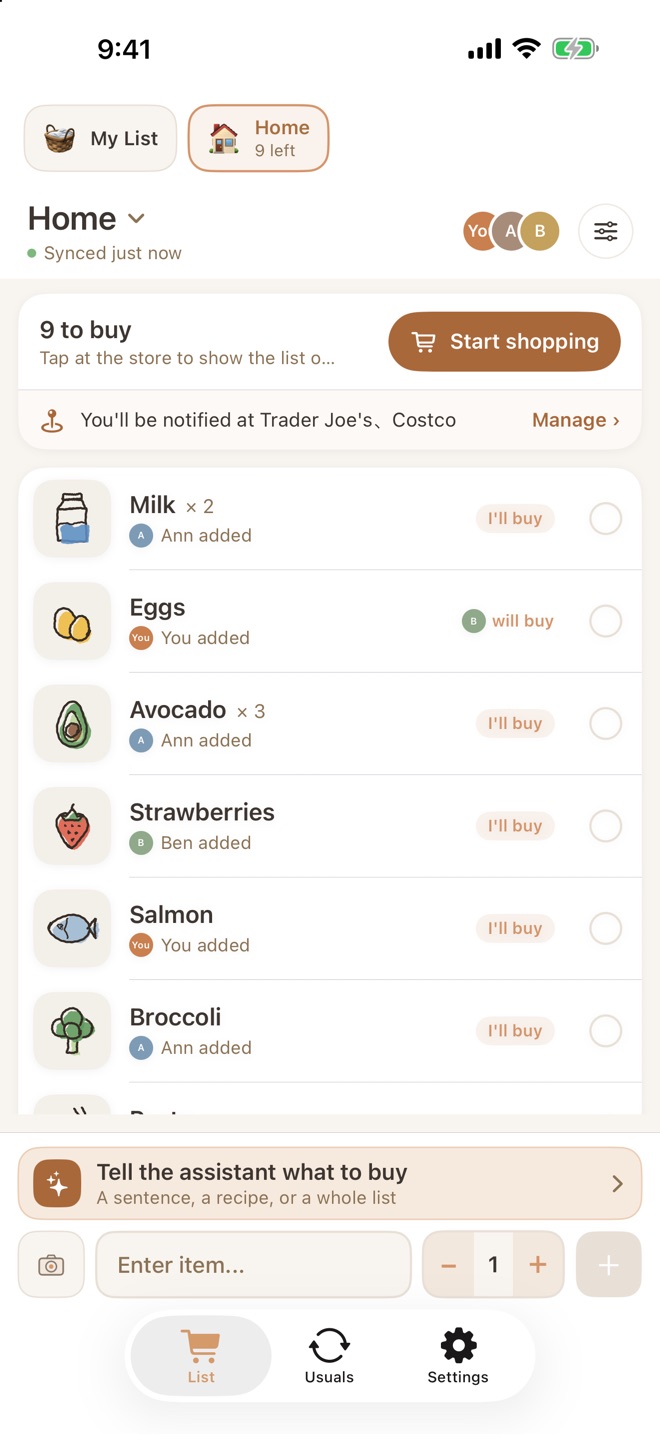
Tap “I’ll buy”
and everyone knows it’s yours.
Every item shows who added it. Once someone claims it, everyone else sees “B will buy”, so whoever passes a different store doesn’t buy it twice.
- A list for each groupKeep My List for yourself, and make a group for home, your partner or your flatmates.
- Join with a linkSend an invite in Messages. One tap and they’re on the same list.
At the store
Walk into the store.
Your list is already there.
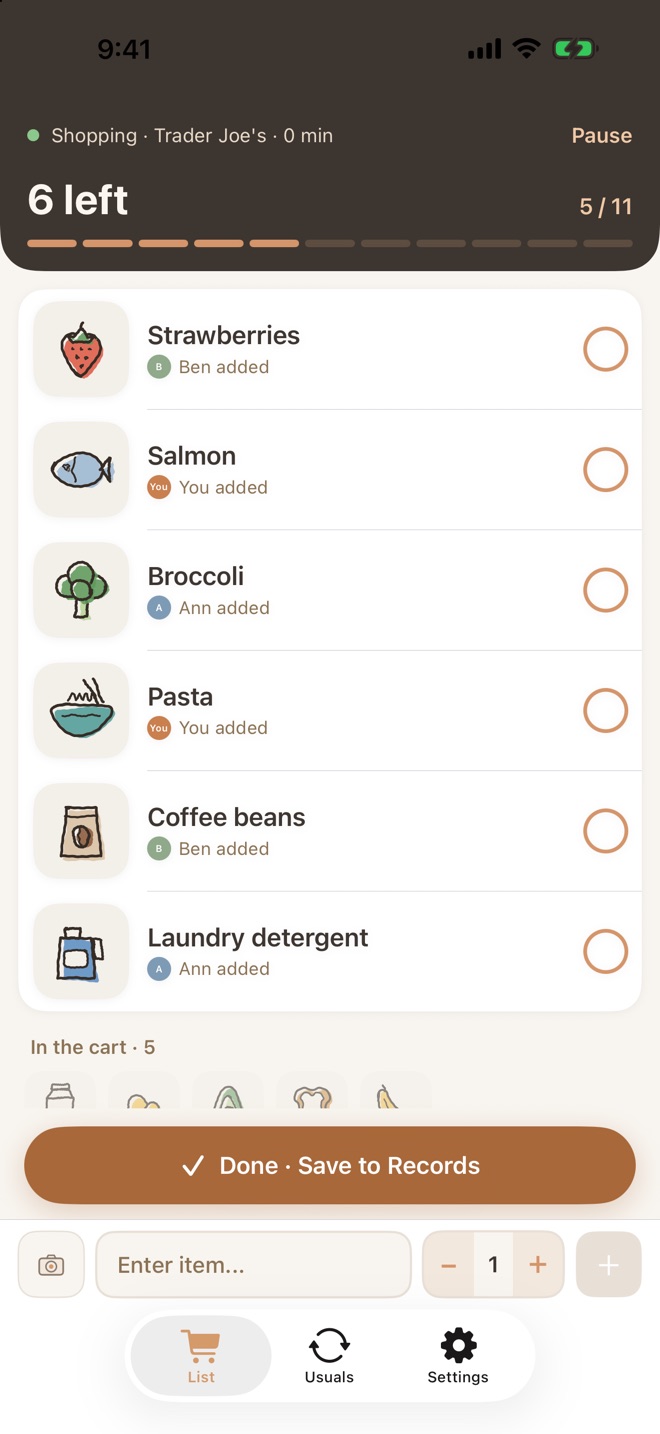
Save the stores you go to and get a nudge with how many items are left when you arrive. Tap Start shopping and the list moves to your Lock Screen, easy to check off one-handed at the cart.
- Store remindersAdd as many stores as you like. Whichever one you walk into, you’ll hear about it.
- Progress at a glanceHow many are left and how many are in the cart, updated for the whole group.
- Done · Save the tripEvery trip lands on a calendar, so you know where the grocery money went.
Shopping assistant
Paste a sentence or a recipe.
Get a list back.
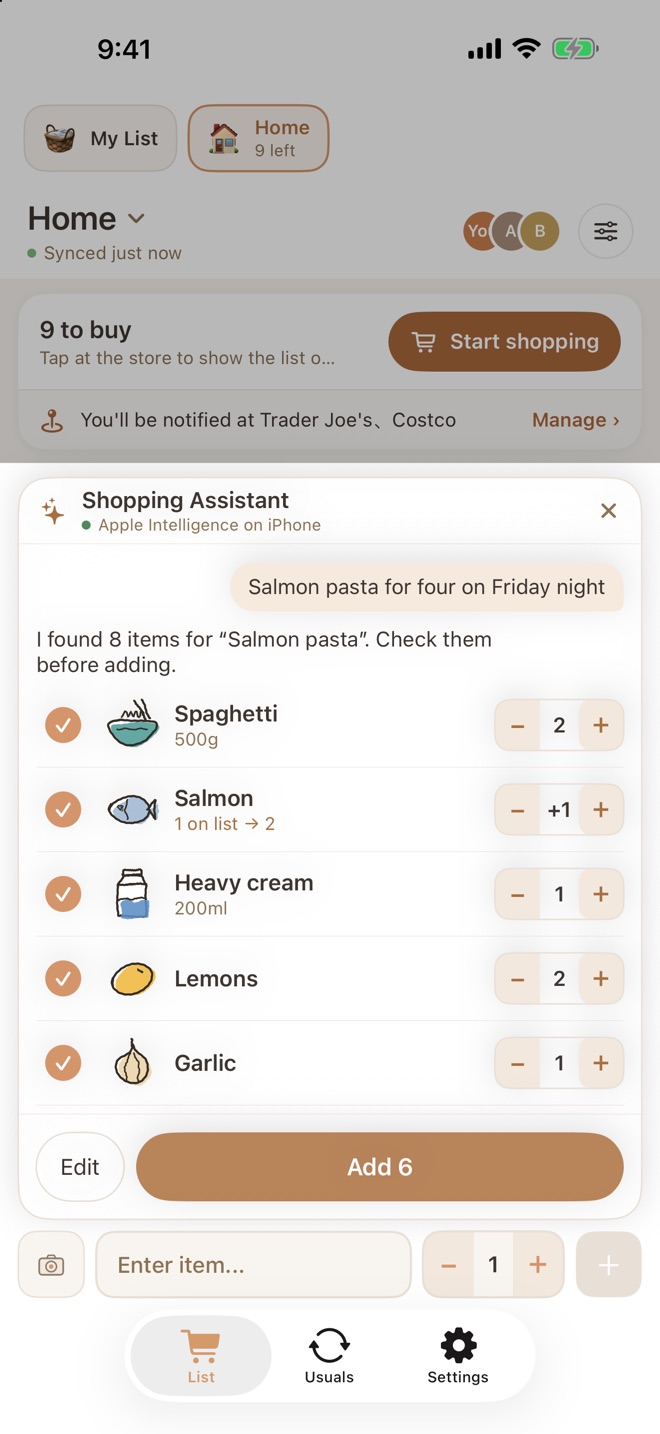
Type “salmon pasta for four on Friday” and it lists pasta, salmon, cream, lemons and garlic. It notices salmon is already on the list and adds just one more. Check the amounts, then add.
- Runs on your iPhoneUses Apple Intelligence on the device.
- You confirm firstChange amounts or untick anything before it goes on your list.
Usuals
It remembers how often you buy things.
Your trips turn into a shelf of usuals, each marked “about weekly” or “about every 2 weeks”. When something’s running low, tap + to put it back on the list. Save a whole bundle, like taco night, as a set.
And more
More ways to fill your list
Add a photo so nobody brings home the wrong brand.
Photograph the note on the fridge and each line becomes an item.
The name and picture come in on their own.
See what’s left without opening the app.
What you bought and what it cost, month by month.
Supermarket, warehouse club, pharmacy: get a reminder at each one.
Pricing
Start free. Upgrade when you need more.
Free
Up to 3 items per list. Make a group and try it out.
Monthly
Unlimited items, iCloud sync and the shopping assistant.
Yearly
Everything in Monthly for about half the price over a year.
Lifetime
Pay once and keep it.
Prices in USD. Your local price and trial eligibility are shown in the App Store. Requires iOS 26 or later.
FAQ
Does everyone in the group need to pay?
No. Everyone in a group can view, add, claim and check off items. The free plan allows up to 3 items per list.
Do I need to create an account?
No. Your data stays on your iPhone and syncs through your own iCloud when you subscribe.
Does it work on Android?
Not yet. GroceryGen is iPhone only for now.
Which iPhones support the shopping assistant?
It uses Apple Intelligence on your iPhone, so it needs a model that supports Apple Intelligence.
Retire the note on the fridge.
Download free and invite the people you shop for.